GTA 6 on Phones: Is a Mobile Version Coming, and How Can You Play Through a Console?
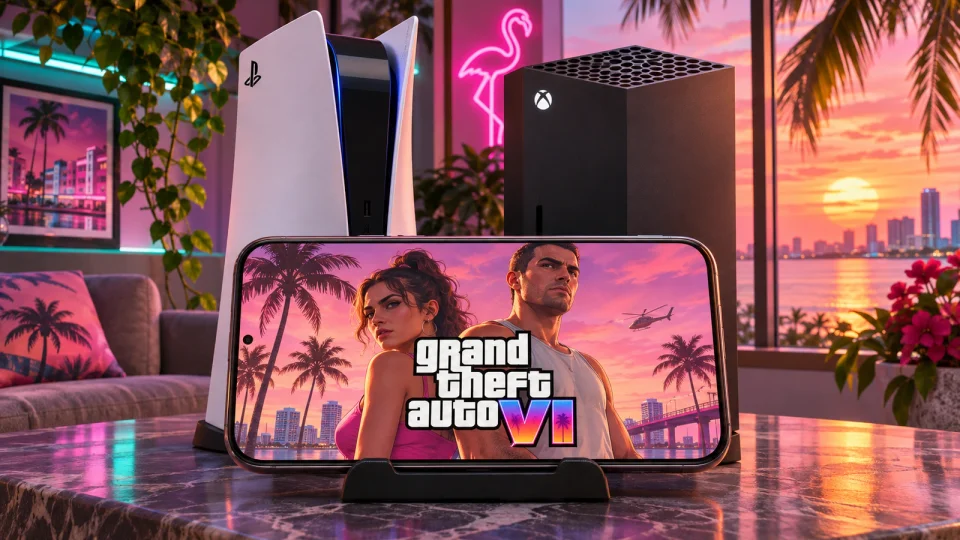
GTA 6 is not available on phones yet: as of November 13, 2026, Rockstar has not announced a standalone version for Android or iPhone or given it a release date. After the console release on November 19, you will be able to play on a smartphone screen using officially announced Remote Play support with your own PS5 or Xbox Series X|S. This feature streams video and audio to your phone from the console running the game.
When is GTA 6 coming to phones: Android and iPhone
The official GTA 6 platform list names PlayStation 5 and Xbox Series X|S. There is no standalone mobile game in Rockstar’s Google Play or App Store catalogs either. The November 19, 2026 date therefore refers to the console release, rather than GTA 6 arriving on Android and iOS phones.
At the time of writing, the console game is not yet available to all buyers. Preloading has begun, but it lets you download the files in advance, not start playing. Connecting a phone to the PS5 or Xbox menu does not bypass the restriction on launching the preloaded game.
How GTA 6 can work on a phone screen
A phone can run a game itself or receive video from another device. The method determines whether you need a console, a separate mobile build, or access to a cloud service.
On a narrow screen, scroll the table horizontally.
| Method | Where the game runs | What the phone does | What you need |
|---|---|---|---|
| Standalone mobile version | On the smartphone’s processor and graphics chip | Runs the game and renders the image | A released mobile version and a compatible phone |
| Remote Play | On your home console | Receives video and audio and sends control inputs | A configured console, access to the installed game, and a connection |
| Cloud gaming | On the service’s hardware | Receives a stream and sends inputs | Support for the specific game, device, and region, plus compliance with the service’s requirements |
In its November 10 preload announcement, Rockstar announced full Remote Play support on PlayStation and Xbox. The PlayStation listing for GTA 6 also says Remote Play supported. The game itself will be playable once access opens on November 19.
Remote Play lets you continue playing on another screen, including away from home. Your phone and console do not need to stay on the same network: the console can remain at home while your smartphone connects over the internet.
You do not need to transfer saves to your phone. You are controlling the same copy of GTA 6 on the same console and continuing your playthrough. Remote Play does not transfer saves between PS5 and Xbox. You still need to save your progress: Microsoft warns that if the connection drops and the console subsequently shuts down or goes to sleep, unsaved progress may be lost.
Playing this way requires a continuous connection. The Offline play enabled label on the console version’s GTA 6 listing refers to the game running on the console itself. You cannot download the console version of GTA 6 to a smartphone to play offline.
What you need for Remote Play
PS5, PS5 Digital Edition, PS5 Pro, Xbox Series X, and Xbox Series S can run GTA 6 and stream it to a phone. The relevant version of the game cannot be installed on PS4 or Xbox One. Cloud gaming on Xbox One works differently and is covered below.
GTA 6 must be installed on your console, and you must be able to launch it with the account you are using. You will also need a suitable phone, remote features enabled, and an internet connection for both the console and phone.
Apps and phone requirements
For PS5, install PS Remote Play by PlayStation Mobile Inc. from Google Play or the App Store. The standard PlayStation App can open a session through PS Remote Play. PS Remote Play itself is still required to stream the video.
For Xbox, the current connection method uses a browser. Microsoft removed the option to launch Remote Play directly from the Xbox mobile app, announcing the change in April 2025. This method does not require a separate streaming app.
| Connection | Phone requirements |
|---|---|
| PS Remote Play on Android | Android 11 or later |
| PS Remote Play on iPhone | iOS 16 or later |
| Xbox Remote Play on Android | Android 12 or later, Edge or Chrome version 85 or later |
| Xbox Remote Play on iPhone | iOS 15.1 or later, Safari 14 or later or Chrome 85 or later |
Sony lists the Google Pixel 8, Pixel 9, and Pixel 10 series as tested Android devices. Other compatible smartphones can also be used, but the app may not work correctly on untested models.
Microsoft’s requirements differ between two pages. The general Remote Play page lists Android 6.0 and iOS 15.1, while the browser table lists Android 12 and iOS 14.4. The operating system versions in the table above meet the requirements on both pages. Some controllers require a newer operating system version.
Do you need a controller?
PS Remote Play includes on-screen buttons, so you can connect your phone to a PS5 without a physical controller. Browser-based Xbox Remote Play does not support touch controls, a mouse, or a keyboard. It requires a compatible controller. Xbox touch controls are available in certain cloud games.
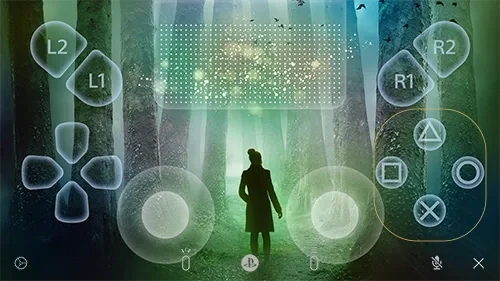
The PS Remote Play on-screen controller in Sony’s example. The image shows a different game. Source: Sony Interactive Entertainment.
On a narrow screen, scroll the table horizontally.
| Controller | PS Remote Play on Android | PS Remote Play on iPhone |
|---|---|---|
| DUALSHOCK 4 | Android 11 or later | iOS 16 or later |
| DualSense | Android 12 or later | Supported with the current version of PS Remote Play |
| DualSense Edge | Android 14 or later | iOS 16.4 or later |
| Backbone One PlayStation Edition | Android version with USB-C | Compatible version for the specific iPhone |
On Android 11, Sony suggests using the on-screen controller for the DUALSHOCK 4 touchpad function. When a DualSense is connected to a phone, haptic feedback and use of the built-in microphone, speaker, and headphone jack are limited. Adaptive triggers, which change the resistance you feel when pressing them, are incompatible with Android devices.
A physical controller for PS Remote Play connects to the phone. The DualSense pairing procedure is covered in Sony’s guide to connecting it to mobile devices.
For Xbox, Microsoft recommends connecting an Xbox Wireless Controller to your phone over Bluetooth or USB. Its list of tested devices also includes the Xbox Adaptive Controller, DUALSHOCK 4 over Bluetooth, Backbone One variants, and Razer Kishi. Check both the model and connector: for example, Backbone One Xbox Edition is available for Android and iPhone 15 and later with USB-C, while Kishi V2 for iPhone uses Lightning.
In its Xbox Remote Play instructions, Microsoft states that the Xbox Elite Wireless Controller Series 2 is currently incompatible with iOS.
Buying the game and subscriptions
Remote Play requires a copy of GTA 6 installed on your console and access to it through the account you are using. You do not need to buy GTA 6 separately for your phone.
Rockstar offers a Standard Edition containing the base game and an Ultimate Edition. As of November 13, the US PlayStation store lists them at $79.99 and $99.99 respectively. Prices may differ in other regional stores.
Remote Play does not require a separate paid subscription. Sony’s app is free, and Microsoft describes remote play as a feature available without an additional subscription. PlayStation lists GTA 6 as a single-player game: PS Plus, Game Pass, and GTA+ are not required for this kind of remote access. Paying for a cloud service is part of a different way to access the game.
How to play GTA 6 on your phone through PS5 or Xbox
Prepare your console before leaving home. Remote features and the required power mode must be enabled on the console itself. For GTA 6, install the game and wait for access to open after release.
How to access GTA 6 on your phone through PS5
Sony’s official guide describes the following setup:
- Update your PS5 system software.
- Open Settings on the console, select System, then Remote Play. Turn on Enable Remote Play.
- To connect while the console is in rest mode, find Power Saving and open Features Available in Rest Mode. Turn on Stay Connected to the Internet and Enable Turning On PS5 from Network.
- Install PS Remote Play on your phone and sign in to the same PlayStation account you use on the console.
- Turn on the PS5 or leave it in rest mode with the settings above enabled. Select PS5 in the app and connect.
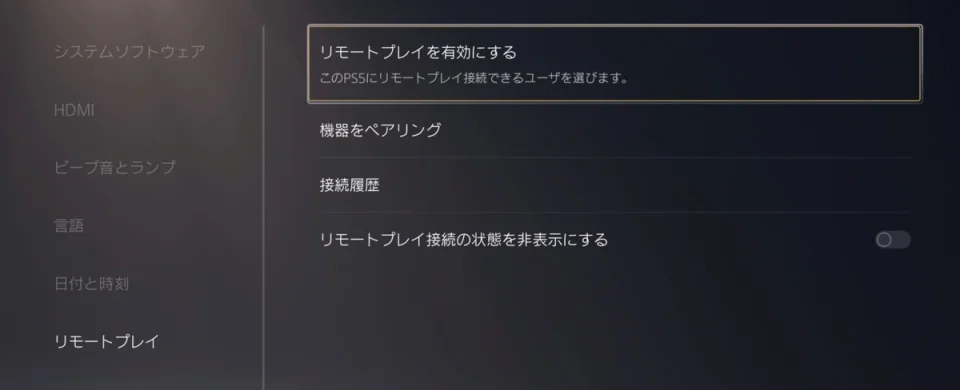
The Enable Remote Play option selected in the PS5 menu. Sony’s official example uses the Japanese interface. Source: PlayStation.Blog Japan.
Sony recommends testing the connection near the console before using it away from home. If automatic discovery does not work, connect your phone and PS5 to the same network. On the console, select Pair Device in the Remote Play settings and enter the displayed code on your phone. The same network is required for this manual pairing process, rather than every subsequent session.
To connect over mobile data, open Mobile Data in PS Remote Play and turn on Use Mobile Data.
Connecting to Xbox Series X|S
Microsoft’s official instructions describe the following setup:
- On the console, open Profile & system, then Settings, Devices & connections, and Remote features.
- Turn on Enable remote features.
- Under Power options, select Sleep.
- Connect a compatible controller to the phone itself. For the recommended Xbox Wireless Controller, use Bluetooth or USB.
- Open xbox.com/remoteplay in a supported browser. Sign in to the Microsoft account with the Xbox profile you used to enable remote features on the console.
- Select the console, then Remote play on this device.
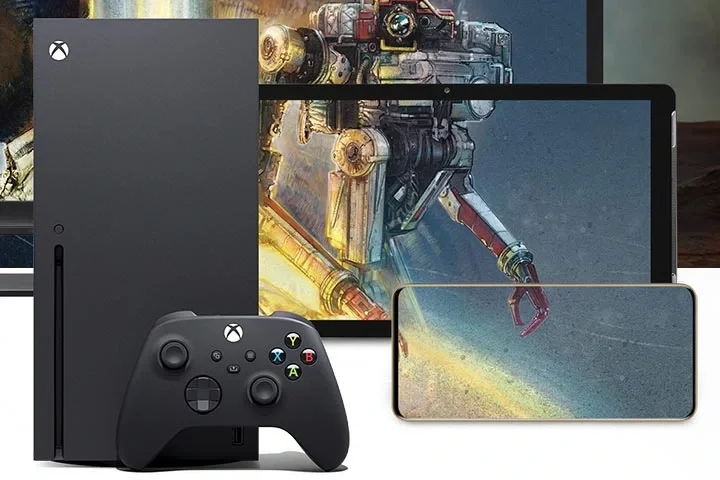
A console, controller, and phone in an Xbox Remote Play illustration. The screens show Starfield. Source: Microsoft / Xbox.
Once Remote features and Sleep are configured, you can connect to your Xbox through a browser while away from the console.
A remote connection wakes the PS5 from rest mode or the Xbox from Sleep. Then use your phone to open the installed copy of GTA 6 from the console menu. During the session, GTA 6 runs on the console.
Internet requirements and what quality to expect
Sony specifies a minimum of 5 Mbps for both downloads and uploads. For the best results, it recommends at least 15 Mbps in both directions. The Xbox instructions give a guideline of 7-10 Mbps, while the general Remote Play page lists a download speed of 10 Mbps.
When playing away from home, the console’s upload speed and the phone’s download speed are particularly important. For example, a high download speed on your home internet plan is not enough if its upload connection cannot keep up with sending the video stream to your phone.
Ideally, connect the console to your router with an Ethernet cable: this reduces latency and makes the connection more reliable than Wi-Fi. Microsoft recommends 5 GHz Wi-Fi for the phone. A 2.4 GHz connection is allowed but not recommended.
Mobile data and data usage
Sony and Microsoft both allow mobile network connections. Results depend on your carrier and the current state of the connection. In PS Remote Play, you can choose the streaming quality for mobile data.
Data usage depends on the bitrate, meaning the amount of data transmitted per second, and the length of the session. For a continuous stream, the calculated figures are:
| Average bitrate | Approximate data usage per hour |
|---|---|
| 5 Mbps | 2.25 GB |
| 10 Mbps | 4.5 GB |
| 15 Mbps | 6.75 GB |
The table calculates data usage without additional network overhead. The minimum connection speed in the instructions is not the same as the stream’s actual bitrate.
Resolution, frame rate, and input latency
For PS5, Sony states that the stream’s resolution is selected automatically, up to 1080p, depending on the connection.
Microsoft has announced testing of Xbox Remote Play at resolutions up to 1440p on Series X|S for Xbox Insider participants in the Alpha Skip-Ahead and Alpha rings.
Rockstar is targeting 30 frames per second for GTA 6. Streaming video at a higher frame rate does not raise the game’s own frame rate to 60.
An input from your phone first reaches the console. The game processes it, after which the console prepares and sends a new image to the phone. Responsiveness can therefore differ from playing on a screen connected directly to the console.
Latency is affected by the connection, Wi-Fi interference, the phone’s capabilities, a wireless controller, and any additional streaming to another screen. Even a small delay can be noticeable during fast-paced actions.
What to do if the video stutters or your phone will not connect
If the session starts but the image freezes, breaks up, or controls respond slowly, start with the connection:
- Connect the console to your router over Ethernet and your phone to a stable 5 GHz Wi-Fi network.
- Pause large downloads and other transfers using the connection.
- Test the connection without a VPN or an additional Wi-Fi repeater.
- Stop casting or mirroring the phone’s screen to another display.
- Connect the controller with a cable if possible.
- Update the console software, PS Remote Play, or your browser.
PS5 usually adjusts quality automatically. In PS Remote Play, you can separately reduce streaming quality over a mobile network. The 360p and 540p settings apply to connections to a PS4.
In the test version of the improved Xbox Remote Play, Microsoft describes an Auto mode. To use these improvements, set the console’s own resolution to 1440p or 4K UHD. These settings apply to the Xbox Insider testing mentioned above.
If your phone cannot find the console at all or will not start a session, check remote features, power, internet access, and the account. For Xbox, also check the service status and restart both the console and phone. On iPhone, allow PS Remote Play to access the local network. If automatic PS5 discovery does not help, use the manual code-based pairing process described above.
When network settings get in the way
NAT, the network address translation performed by a router or carrier, can affect the connection. If the basic checks above do not help, check your NAT type using Sony’s instructions or Microsoft’s instructions for your console. Compare the result with the limitations below and adjust the settings according to your platform’s instructions if necessary.
Sony warns of problems with NAT Type 3 and states that Remote Play uses UDP port 8572. UDP is a data transmission protocol, and the port number helps software route incoming data to the right application.
For Xbox, Open NAT is preferred. Strict NAT prevents initial setup and console registration until the type changes to Moderate or Open. For some connections with Strict NAT, Microsoft describes forwarding UDP port 9002 if UPnP, a mechanism for automatically configuring network connections, is unavailable. If the connection is already working, you do not need to forward this port.
Sony’s official explanation states that Remote Play on PS5 is unavailable if 60 days or more have passed since the last sign-in on the console. Before an extended absence, check in advance that you can sign in on the console and connect remotely.
Can you play through the cloud without owning a console?
Microsoft’s November 10 announcement names Xbox One and Xbox Series X|S. Cloud access on those consoles is scheduled for November 19, starting at 1:00 a.m. ET, US Eastern Time. The stream is listed as using Xbox Series S graphics settings, and GTA 6 must be purchased separately.
Rockstar’s description of the cloud launch also lists Xbox One and Series X|S. Xbox Cloud Gaming supports smartphones, while the available game lineup depends on the device and region.
What Xbox Cloud Gaming prices and hours mean
At the time of writing, the US Xbox Cloud Gaming page lists the following service terms:
| Access option | Cloud gaming time |
|---|---|
| Cloud Playtime for $3.99 | 10 hours |
| Cloud Playtime for $7.99 | 25 hours |
| Cloud Playtime for $11.99 | 50 hours |
| Game Pass Ultimate | 15 hours per month |
| Game Pass Premium | 10 hours per month |
| Game Pass Essential | 5 hours per month |
Monthly subscription hours are used first. Unused hours do not roll over to the following month. Purchased hours remain available until used. There is also a free option with ads and session limits. The available game lineup differs depending on how you access cloud gaming.
Will phones be able to run GTA 6 themselves?
Rockstar has not released a mobile build of GTA 6.
According to Rockstar, GTA 6 is built for the current generation of consoles, with a highly dense and detailed world. The developers are targeting 30 frames per second.
What earlier mobile GTA releases show
Ports of other entries required separate adaptations of the graphics, interface, and controls.
GTA III: 10 Year Anniversary Edition launched on iOS and Android on December 15, 2011. Rockstar added a scalable interface, customizable controls, updated textures, draw distance adjustments, mission retries, and autosaving. A specific list of compatible devices was provided for the release.
San Andreas arrived on iOS on December 12, 2013. It retained three cities and more than 70 hours of gameplay, while the mobile adaptation received reworked graphics, updated checkpoints, three control schemes, customizable buttons, and support for Made for iOS controllers designed for Apple devices. Checkpoints let players resume from particular stages of the game. Dynamic shadows and reflections depended on the device: Rockstar specifically named iPhone 5 and later, as well as fourth-generation iPad and later.
The mobile Definitive Editions of GTA III, Vice City, and San Andreas launched on December 14, 2023. At launch, Rockstar offered standalone purchases and access through Netflix, and listed Classic Lighting among the additional improvements.
In November 2021, Rockstar planned to release the mobile Trilogy in the first half of 2022, but it actually arrived in December 2023.
Can an emulator help?
There is no verified way to run GTA 6 on a phone through an emulator. APK in a name such as “GTA 6 emulator APK” refers to an Android app installation file.
For example, Winlator’s developer describes it as an environment for Windows applications. It uses Wine and Box86/Box64 internally. These tools help run software designed for a different software environment and the x86_64 processor architecture. Windows is not on the official GTA 6 platform list.
When checking a claim that GTA 6 can run through a “PS5 emulator” or another program, identify the program, game build, and device model, then check whether the result can be reproduced on the same configuration. In a Winlator video, identify which PC GTA game is actually being shown.
How to check an offer to download GTA 6 on your phone
An offer to download GTA 6 on an Android phone or iPhone should first be checked against an official announcement.
Checking the app and game
Start with Rockstar’s announcement and its link to the specific store listing. Then check the publisher account. The company has official pages on Google Play and the App Store. As of November 13, GTA 6 is not in those catalogs.
Malwarebytes describes fake Android apps that copy the file names, package names, icons, and interfaces of genuine apps.
There are also separate games that use the anticipated title. For example, on May 16, 2024, Everyeye journalist Davide Leoni described GTA 6 Mobile Gangster Crime 3D, which had appeared on the App Store, as an ordinary GTA-style game. According to his report, it took up just over 200 MB.
The genuine GTA III, Vice City, San Andreas, and their Definitive Editions are not GTA 6 either. Vice City stars Tommy Vercetti and is set in the 1980s. San Andreas follows Carl Johnson in a different game world. GTA 6’s officially revealed characters and setting include Jason, Lucia, and the state of Leonida.
Checking a video of the game on a phone
With Remote Play, the image on the smartphone screen comes from the console running the game.
To assess a demonstration:
- Check whether it identifies the device, game version, app, and launch method.
- Look for uninterrupted footage of the app launching and its menus. The PS Remote Play interface or Xbox Remote Play page indicates streaming from a console.
- Check how the game responds to actions: an unexpected camera turn, opening a menu, or changing direction. Showing a response to these actions is more convincing than touches matching prerecorded movement.
- Compare the title in the menu, the characters, and the world with official GTA 6 material.
- If the creator claims the game is running directly on the phone, check the build details and whether the result can be reproduced on the same device.
The risks of fake apps and suspicious websites
Fake Android apps can display intrusive ads, redirect users to install other apps, access SMS, and download additional software. Google also warns about malicious apps that request dangerous permissions and gain access to personal data.
Malwarebytes also investigated a fake Windows installer named gta6_installer.exe that distributed the Vidar information stealer. It collected passwords and browser sessions.
Check a site promising mobile GTA 6 for several signs:
- Whether an official Rockstar resource links to the offer.
- Whether the domain matches the publisher’s or store’s genuine website.
- Whether the page promises an unconfirmed mobile version, beta, or early access.
- Whether it requires you to install an unrelated app, complete a chain of offers, or pay to “unlock” access.
- Whether it pressures visitors with countdown timers and claims of a limited number of codes.
In its analysis of GTA 6 scams, Kaspersky describes how users were made to install and run an unrelated app under the guise of a bot check to obtain the full code. Malwarebytes has also shown sites that copied genuine Rockstar advertising and appeared in search results promising an Official Download.
Official preloading for the console version of GTA 6 has already begun. Check the platform, the source of the files, and the access the offer promises.
Check new mobile version announcements on the official GTA 6 website, Rockstar Newswire, and Rockstar Support. For apps, use the publisher’s store pages. For Remote Play, consult the PlayStation game listing, Sony’s documentation, and its current apps; for Xbox, Xbox Wire, the Remote Play instructions, and cloud support announcements specifically for GTA 6 are also relevant. Open Rockstar’s social channels through links on its official website.